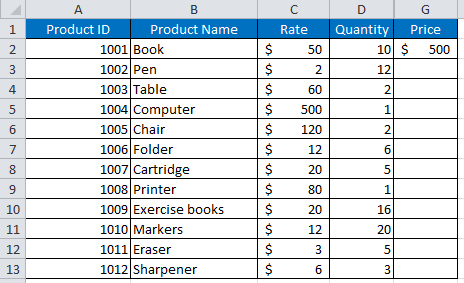
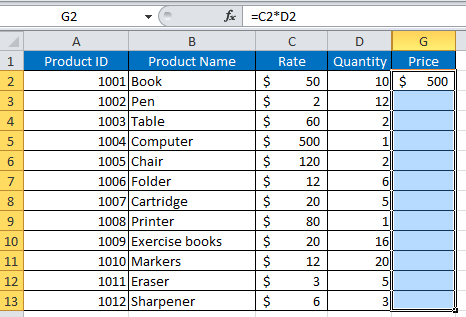
- Copying Formulas from Rows above to Rows below in Excel
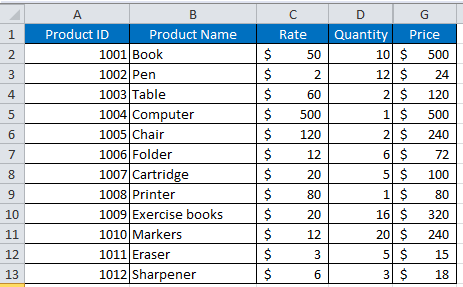
- Select all cells in the column where the formula or value is to be copied. E2 = C2*D2
- Press Ctrl + D.
- Filling Empty Excel Rows with Data from the Rows Above
- Click Find and Select.
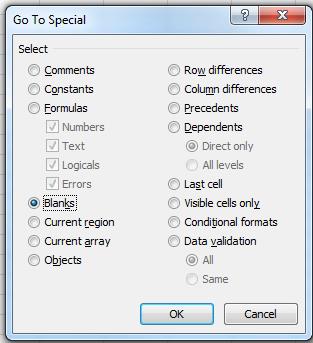
- Choose Go To Special….
- Choose Blanks and OK that.
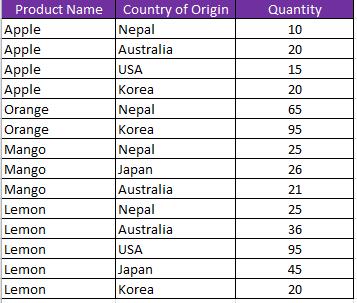
- Now push the Equals (=) key, then the Up Arrow and finally, Ctrl + Enter.
- INDEX() and MATCH()
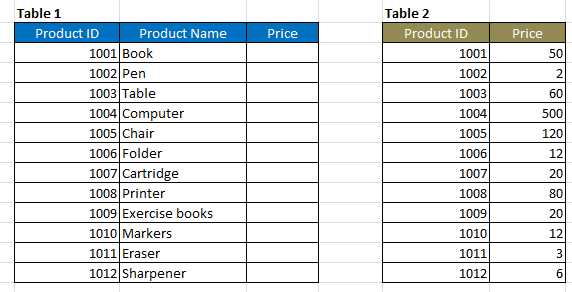
- Start with MATCH(): Match Product ID value in Table 1 with Product ID column in Table 2.
- Follow with INDEX(): Index the Price column in Table 2.
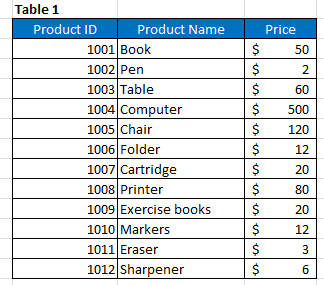
- Final table below.
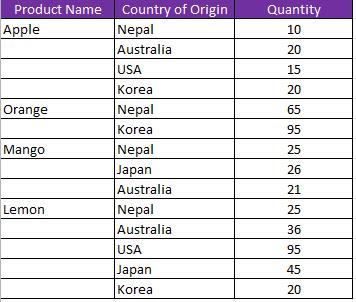
First, to select the column with blank cells. (Product Name column)

Problem: Import values for Price column in Table 1 from Price column in Table 2 using Product ID as intersecting key.